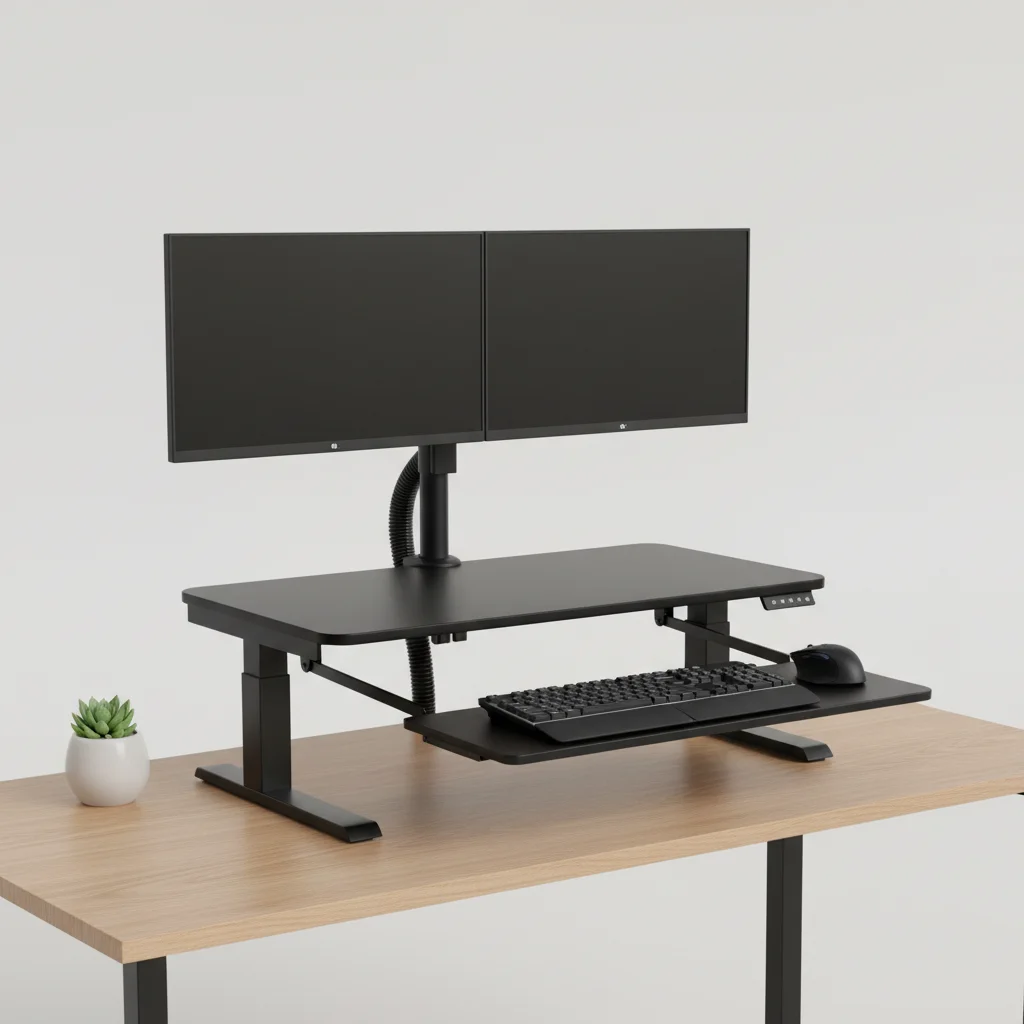
Standing desk converters can be a beneficial tool for alleviating neck pain, provided they are set up correctly. The primary advantage lies in their ability to promote better posture by allowing users to alternate between sitting and standing throughout the workday. This variation in position can reduce the sustained strain on neck muscles that often occurs during prolonged sitting. Studies suggest that incorporating standing periods can decrease musculoskeletal discomfort by up to 32% in the neck and shoulders.
One of the most critical factors for neck health when using a standing desk converter is proper monitor height. Your monitor should be positioned so that the top third of the screen is at eye level, preventing you from craning your neck up or down. Additionally, the keyboard and mouse should be at an ergonomic height, allowing your elbows to remain at a 90-degree angle and your shoulders to be relaxed. Failing to adjust these elements can negate the benefits and even exacerbate neck issues. For browse all ergonomic office articles on this site.
Understanding the Causes of Neck Pain at Your Desk
Neck pain often stems from poor ergonomics and prolonged static postures. When you sit for extended periods, especially with a slouched posture or a forward head position, the muscles in your neck and upper back are under constant tension. This can lead to muscle fatigue, stiffness, and even headaches. Factors like an improperly positioned monitor, a non-supportive chair, or even stress can contribute significantly to chronic neck discomfort.
The human head weighs approximately 10-12 pounds, and for every inch your head moves forward from its natural alignment, the effective weight on your neck can increase by an additional 10 pounds. This puts immense strain on the cervical spine and surrounding musculature. A standing desk converter, when used correctly, encourages a more neutral spine alignment, reducing this forward head posture.
Key Ergonomic Adjustments for Neck Health with Converters
|
Our Picks for the Best Standing Desk in 2026
As an Amazon Associate I earn from qualifying purchases.
|
||
| Num | Product | Action |
|---|---|---|
| 1 | ERGOMAKER 63" Electric Standing Desk, Adjustable Height, Sit Stand Up Desk for Home Office & Computer Workstations, Memory Controller, White |

|
| 2 | Marsail Glass Standing Desk with Drawer 37 x 22 Inches Stand up Desk Standing Desk Adjustable Height with One-Piece Tempered Glass Top, Ergonomic Home Office Desk with 4 Preset Heights White |
|
| 3 | Kingant Standing Desk Height Adjustable Small Electric Stand Up Desks [35 x 20 Inch] - Ergonomic Sit Stand Desk Rising Desks for Home Office Computer Desk Stand Desk Workstation with Cable Management |
|
| 4 | HUANUO Electric Small Standing Desk, 35" x 20" Whole Piece Desktop, Adjustable Height Computer Desk, 4 Height Memory Settings, Sit Stand Up Desk for Home Office, White |
|
| 5 | HUANUO 32" Small Electric Standing Desk Adjustable Height, 4 Memory Height Settings, Sit Stand Up Desk for Home Office & Computer Workstation, LightWalnut |
|
| 6 | ERGOMAKER Electric Standing Desk, 67" x 23.6" Height Adjustable Sit Stand Desk with Splice Board for Home Office, Computer Table Memory Preset (White Frame, White Desktop) |
|
| 7 | Small Height Adjustable Electric Standing Desk, 31.5" x 23.6" Sit Stand up Desk with Splice Board, Ergonomic Rising Computer Home Office Desk Table with Memory Preset, White Frame/White Top |
|
| 8 | Adjustable Standing Desk with Cable Management, 48 X 24 Inches Electric Stand Up Desk, 176LBS Load, 2 Memory Preset Height Table for Home Office Work with Splice Board (Rustic Brown Desktop) |
|
| 9 | Standing Desk, Height Adjustable Electric Stand up Desk, 55 x 24 Inches Sit Stand Home Office Desk with Splice Board, Black Frame/Black Top |
|
| 10 | Huuger 55 x 28 Large Electric Standing Desk, Height Adjustable Computer Desk, 27.6" Deep Desktop, Stand up Gaming Office Table with 2 Hooks, 3 Preset Heights, for Home Office, Black |
|
To maximize the neck-friendly benefits of a standing desk converter, several ergonomic adjustments are essential. First, ensure your monitor is at the correct height. Many converters offer adjustable monitor platforms, making this easy to achieve. Second, your keyboard and mouse should be within easy reach, allowing your arms to hang naturally at your sides with elbows bent at roughly 90 degrees. Avoid reaching or shrugging your shoulders.
Third, consider the depth of your converter. You should have enough space to maintain a comfortable distance from your monitor, typically an arm’s length away. Finally, remember to take micro-breaks. Even with perfect ergonomics, prolonged standing or sitting can be detrimental. Aim to change your position every 30-60 minutes, whether it’s sitting down, standing up, or taking a short walk.
- Adjust monitor height so the top third of the screen is at eye level.
- Position keyboard and mouse to keep elbows at a 90-degree angle.
- Maintain an arm’s length distance from your monitor.
- Ensure adequate space for comfortable arm and wrist support.
- Take regular micro-breaks to change posture.
Choosing the Right Standing Desk Converter for Neck Support
When selecting a standing desk converter, look for models that offer independent height adjustment for both the monitor and the keyboard tray. This allows for more precise ergonomic customization. Converters with a wide range of height settings are also beneficial, accommodating users of various heights. Stability is another crucial factor; a wobbly converter can lead to unconscious muscle tension as you try to stabilize your workspace, counteracting any neck benefits.
Consider the footprint of the converter and how it integrates with your existing desk. Some models are more compact, while others offer expansive work surfaces. Ultimately, the best converter for neck support is one that allows you to achieve and maintain optimal ergonomic posture throughout your workday.
Integrating Standing into Your Daily Routine
Simply owning a standing desk converter isn’t enough; consistent and correct usage is key to experiencing neck pain relief. Start by incorporating short standing intervals, perhaps 15-20 minutes every hour, and gradually increase the duration as your body adapts. Listen to your body and alternate between sitting and standing to prevent fatigue. The goal is not to stand all day, but to break up prolonged periods of sitting.
Pairing your standing desk converter with other healthy habits, such as regular stretching and light exercise, can further enhance its benefits for neck health. Simple neck stretches, like gentle head tilts and rotations, can help release tension accumulated during work. Remember, a dynamic work environment is a healthy work environment.
Get our weekly buyer guide
Practical specs, not advice. Unsubscribe anytime.

I got a converter hoping it would completely eliminate my neck pain, but it’s only helped a little. While the ability to stand is nice, I find that some models can be a bit wobbly when fully extended, which is a minor annoyance. It’s better than just sitting all day, but I was hoping for more dramatic relief.
I was skeptical about standing desk converters, but after experiencing constant neck pain from my old setup, I decided to try one. The advice about monitor height was a game-changer. I used to crane my neck all day, but now with the top third of my screen at eye level, I’ve noticed a significant reduction in discomfort. It’s made a huge difference in my workday.
This converter has been pretty good for my posture. I used to slouch a lot, and alternating between sitting and standing has definitely helped. My neck and shoulders feel less stiff by the end of the day. I’m still getting used to finding the perfect ergonomic height for my keyboard, but overall, it’s a solid improvement.
My chiropractor recommended a standing desk converter to help with my chronic neck and shoulder issues. The statistic about decreasing musculoskeletal discomfort by up to 32% really resonated with me. I’ve been using mine for a month now, making sure my elbows are at a 90-degree angle, and I can honestly say I feel so much better. It’s worth the investment.