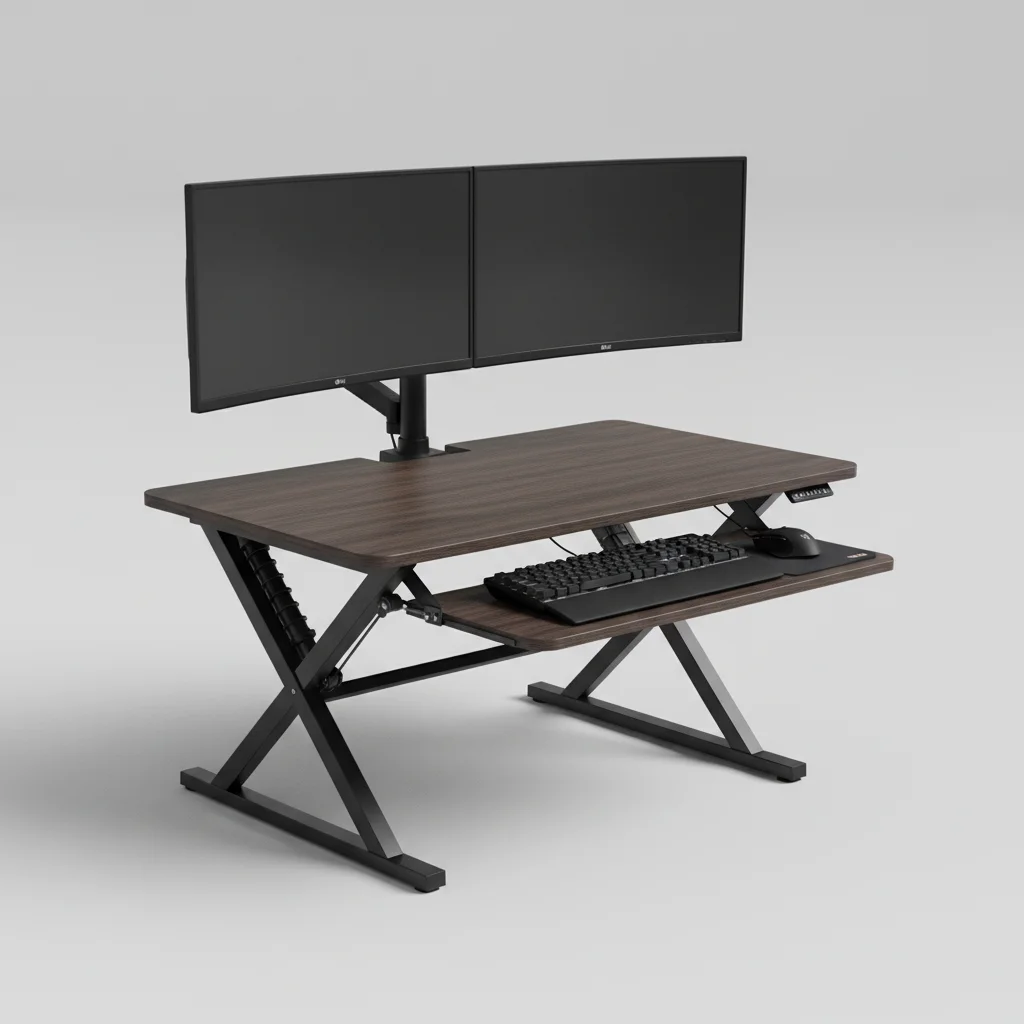
Standing desk converters can indeed be stable for heavy monitors, provided you choose a model designed with robust construction and a high weight capacity. Many converters are engineered to support dual monitor setups, often accommodating up to 35-45 pounds of equipment, including monitors, keyboards, and other accessories. The key lies in selecting a converter with a solid base, a reliable lifting mechanism, and a spacious work surface that can distribute the weight effectively.
Understanding Converter Stability Factors
The stability of a standing desk converter for heavy monitors hinges on several design elements. A wide, heavy base is crucial as it prevents wobbling, especially when the converter is raised to its maximum height. Look for models that feature a steel frame or high-quality aluminum construction, which offers superior rigidity compared to lighter materials. The lifting mechanism, whether gas spring or electric, also plays a significant role; a smooth, controlled movement indicates better engineering and less potential for instability. For complete ergonomic office library on this site.
Furthermore, the size and material of the work surface contribute to overall stability. A thicker, more rigid desktop will resist bowing under the weight of heavy monitors. Some converters also include anti-slip pads on the base to ensure they remain firmly in place on your existing desk, even during adjustments.
Weight Capacity and Monitor Compatibility
Before purchasing, always check the manufacturer’s specified weight capacity. This rating typically includes the combined weight of your monitors, monitor arms (if used), keyboard, mouse, and any other items you place on the converter. For heavy monitors, especially those 27 inches or larger, aim for a converter with a minimum weight capacity of 30 pounds. If you plan to use dual monitors, a capacity of 40-50 pounds is advisable to ensure ample support and stability.
Consider the VESA mounting options if your monitors are compatible with monitor arms. Many converters offer integrated monitor mounts or allow for clamp-on arms, which can improve stability by securing the monitors directly to the converter’s frame rather than relying solely on the desktop surface. This also frees up valuable workspace.
Choosing the Right Converter for Heavy Setups
|
Our Picks for the Best Standing Desk in 2026
As an Amazon Associate I earn from qualifying purchases.
|
||
| Num | Product | Action |
|---|---|---|
| 1 | HUANUO 32" Small Electric Standing Desk Adjustable Height, 4 Memory Height Settings, Sit Stand Up Desk for Home Office & Computer Workstation, LightWalnut |

|
| 2 | Marsail Glass Standing Desk with Drawer 37 x 22 Inches Stand up Desk Standing Desk Adjustable Height with One-Piece Tempered Glass Top, Ergonomic Home Office Desk with 4 Preset Heights White |
|
| 3 | Huuger 55 x 28 Large Electric Standing Desk, Height Adjustable Computer Desk, 27.6" Deep Desktop, Stand up Gaming Office Table with 2 Hooks, 3 Preset Heights, for Home Office, Black |
|
| 4 | Adjustable Standing Desk with Cable Management, 48 X 24 Inches Electric Stand Up Desk, 176LBS Load, 2 Memory Preset Height Table for Home Office Work with Splice Board (Rustic Brown Desktop) |
|
| 5 | Standing Desk, Height Adjustable Electric Stand up Desk, 55 x 24 Inches Sit Stand Home Office Desk with Splice Board, Black Frame/Black Top |
|
| 6 | HUANUO Electric Small Standing Desk, 35" x 20" Whole Piece Desktop, Adjustable Height Computer Desk, 4 Height Memory Settings, Sit Stand Up Desk for Home Office, White |
|
| 7 | Kingant Standing Desk Height Adjustable Small Electric Stand Up Desks [35 x 20 Inch] - Ergonomic Sit Stand Desk Rising Desks for Home Office Computer Desk Stand Desk Workstation with Cable Management |
|
| 8 | ERGOMAKER 63" Electric Standing Desk, Adjustable Height, Sit Stand Up Desk for Home Office & Computer Workstations, Memory Controller, White |
|
| 9 | Small Height Adjustable Electric Standing Desk, 31.5" x 23.6" Sit Stand up Desk with Splice Board, Ergonomic Rising Computer Home Office Desk Table with Memory Preset, White Frame/White Top |
|
| 10 | ERGOMAKER Electric Standing Desk, 67" x 23.6" Height Adjustable Sit Stand Desk with Splice Board for Home Office, Computer Table Memory Preset (White Frame, White Desktop) |
|
When selecting a standing desk converter for heavy monitors, prioritize models known for their robust build and positive user reviews regarding stability. Look for features like a wide footprint, a sturdy X-frame or Z-frame design, and a smooth, consistent lifting mechanism. Avoid converters with flimsy plastic components or those that feel wobbly when extended.
It’s also beneficial to consider the depth of the work surface. Deeper surfaces provide more leverage and a better center of gravity for heavier monitors, reducing the risk of tipping. Some converters even feature a dedicated monitor shelf that sits slightly higher than the keyboard tray, offering an ergonomic advantage and additional stability.
- Check the maximum weight capacity, ensuring it exceeds your total equipment weight.
- Look for a wide, heavy base and a sturdy frame (steel or high-grade aluminum).
- Prioritize smooth, controlled lifting mechanisms (gas spring or electric).
- Consider models with integrated monitor mounts or compatibility with clamp-on arms.
- Read user reviews specifically mentioning stability with heavy or multiple monitors.
Installation and Usage Tips for Enhanced Stability
Proper installation and usage can further enhance the stability of your standing desk converter. Always place the converter on a flat, level, and sturdy existing desk. Ensure all screws and fasteners are tightened according to the manufacturer’s instructions. Distribute the weight of your monitors evenly across the work surface, or if using a monitor arm, ensure it’s securely clamped or bolted.
When adjusting the converter’s height, do so smoothly and avoid sudden jerks. If you notice any wobbling, recheck the assembly and ensure your existing desk is not contributing to the instability. For extremely heavy setups, consider adding a desk mat underneath the converter to provide extra grip and dampen vibrations.
Long-Term Durability and Maintenance
Investing in a high-quality standing desk converter designed for heavy loads also contributes to its long-term durability. Converters with robust components are less likely to wear out or develop instability issues over time. Regularly check all moving parts and fasteners to ensure they remain secure. Keep the lifting mechanism clean and free of dust or debris, which can impede smooth operation.
If your converter uses a gas spring, avoid exceeding its weight limit, as this can prematurely degrade the spring’s performance. For electric converters, ensure the power cord is not pinched and the motor operates without unusual noises. A well-maintained converter will provide stable support for your heavy monitors for years to come.
Get our weekly buyer guide
Practical specs, not advice. Unsubscribe anytime.
